
Introduction
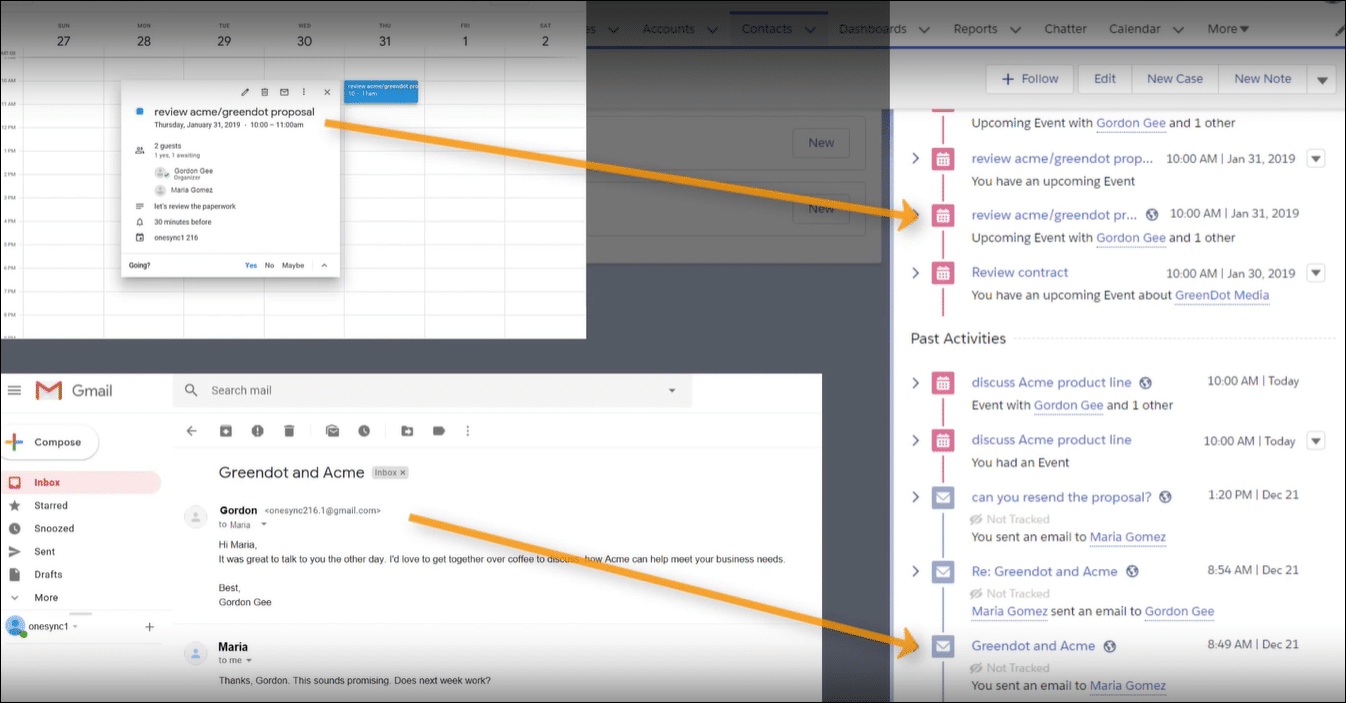
Sales teams need reliable calendar data, but syncing often fails when adding more than one Google account. Einstein Activity Capture works well for a single account, but when a second account is added, events don't always sync to Salesforce. This can leave important meetings and events missing, leading to confusion and lost opportunities. The challenge of multiple account syncing has caused a lot of frustration among users.
Real-world Experience
Here's an example of what one user experienced recently:
I have connected my Google account to Einstein Activity Capture and syncing works perfectly. But when I added another account, the events did not sync, and I'm really frustrated with the limitations!
This case shows a common issue where syncing fails for additional Google accounts, a pattern seen in many Einstein Activity Capture setups.
Einstein Activity Capture Solution
Discussions reveal that Einstein Activity Capture is set up to sync only one primary Google account by default. This limitation forces admins to adjust settings that don't fully resolve the issue. The built-in options in Salesforce leave little room for adding more accounts without conflicts. Below are the steps needed to resolve this issue:
Review Connected Account Settings
Go to Salesforce Setup and check the Connected Accounts section. Confirm which Google account is active and review related sync preferences.
Adjust Sync Configuration
Temporarily disable the additional Google account sync. Re-enable the primary account, then test syncing one account at a time to isolate the issue.
Reach Out to Salesforce Support
Contact Salesforce support via the 'Help & Training' portal to ask about multiple account syncing limits. Get their advice on any available workarounds or recent updates.
Limitations to Consider
Even after adjusting settings, the solution has limits. Salesforce still often restricts syncing to one active Google account, which can leave gaps in data. This workaround might help in the short term but may not scale well as more accounts are added.
Alternative Solution
When syncing extra Google accounts leaves you frustrated with missing events and details, it can feel like you're fighting an uphill battle. DryMerge is an alternative that steps in when Einstein Activity Capture falls short. This AI-native app connects Salesforce with your email and calendar sources to ensure that every meeting and detail is accurately recorded in Salesforce. DryMerge checks your data, picks out the key points, and updates Salesforce so you don't have to worry about lost information or duplicate entries. Its AI tools help it sift through the data and focus on what matters for your task, giving you a clearer, more reliable view of your schedule.
EAC vs. DryMerge Comparison
| Feature | Einstein Activity Capture | DryMerge |
|---|---|---|
| Custom Object Sync | Automatic sync to custom objects isn't supported | Emails, calendar events, and anything else can be synced to your custom objects in Salesforce |
| Email Attachments | Attachments are not captured or saved to Salesforce | Email attachments are captured and saved in Salesforce however you need |
| Multiple Email Accounts | Cannot connect to both Gmail and Outlook simultaneously | Connects to both Gmail and Outlook simultaneously |
| Unstructured Data Processing | Limited ability to extract and organize meaningful data from unstructured email content | AI processing of unstructured email content to extract key details and create structured records |
| Data Enrichment | Basic activity logging with minimal data enrichment capabilities | Intelligent enrichment that pulls contact details, action items, and key insights from communication data |
By addressing these key limitations of Einstein Activity Capture, DryMerge offers a comprehensive solution that empowers your team with superior data handling capabilities. From intelligent processing of unstructured data to advanced enrichment features, DryMerge transforms your communication data into actionable insights while providing the flexibility to work with custom objects and multiple email accounts.
Tired of Einstein Activity Capture issues?
We'd love to show you how DryMerge handles emails, calendar events, and unstructured data extraction more reliably and accurately than Einstein Activity Capture.